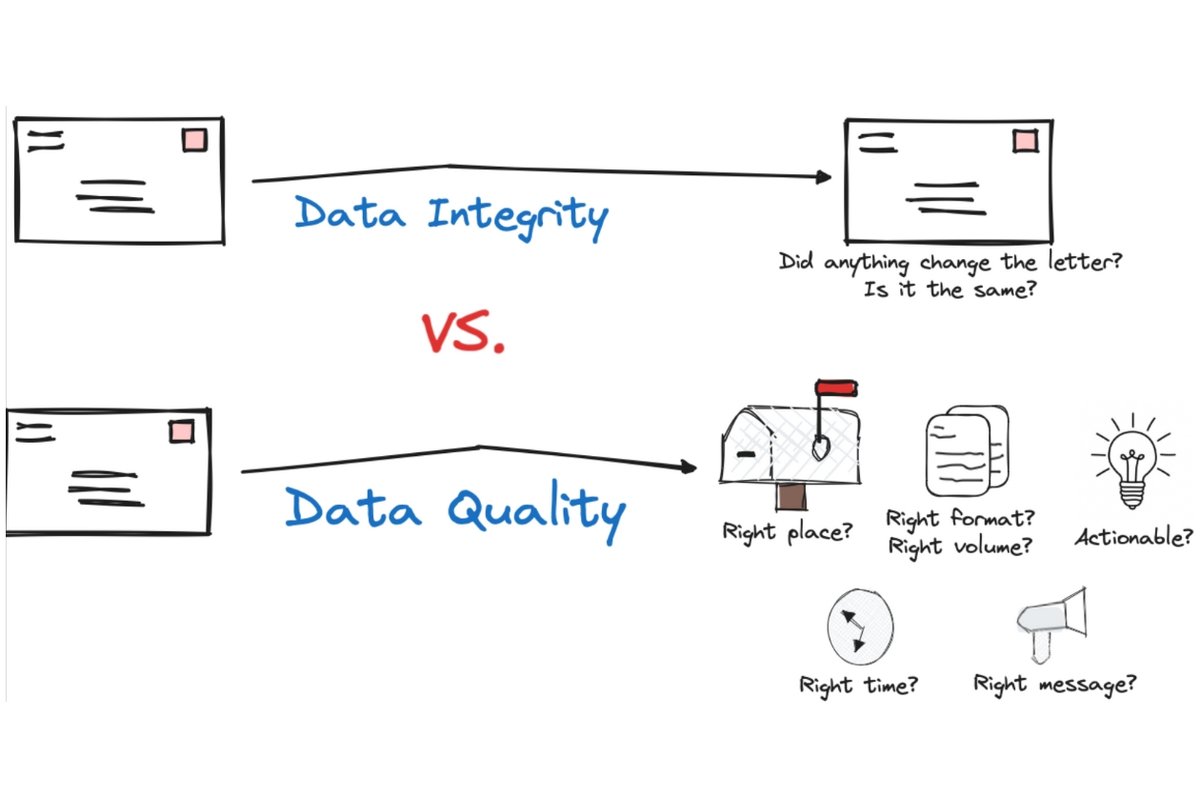
Imagine painstakingly crafting a piece of software, only to have it fail mysteriously. A crucial function returns an unexpected value. A security check is inexplicably bypassed. Data in your database suddenly appears garbled. You pore over your code, line by line, but everything looks correct. The culprit, more often than not, isn't an obvious typo or a glaring logical flaw. It's a silent saboteur: a hidden character. The Impact of Hidden Characters on Code Quality and Data Integrity is far more profound and insidious than most developers realize, leading to frustrating bugs, bloated technical debt, and even critical security vulnerabilities.
These invisible troublemakers, often just a single pixel wide (or not even visible at all!), can derail entire applications, corrupt vital information, and compromise the security posture of your systems. In the quest for robust, reliable, and secure software, understanding and actively managing hidden characters isn't just a best practice; it's a fundamental necessity.
At a Glance: The Invisible Menace
- What they are: Non-printing characters like non-breaking spaces, zero-width spaces, or inconsistent tabs/spaces that are invisible in standard views.
- Code Quality Risk: They break readability, cause syntax/logic errors, lead to inconsistent formatting, and make debugging a nightmare, piling up technical debt.
- Data Integrity Risk: They can corrupt data during storage, transmission, or processing, leading to incorrect calculations, failed comparisons, or garbled text.
- Security Vulnerabilities: Maliciously or accidentally introduced, they can bypass input validation, enable injection attacks, or alter command execution.
- Common Entry Points: Copy-pasting code, manual input errors, legacy system migrations, and text editor quirks.
- Your Defense: Modern IDE features (whitespace visualization, auto-formatting), code linters, static analysis tools, pre-commit hooks, and a disciplined approach to code hygiene.
The Silent Saboteurs: What Exactly Are Hidden Characters?
When we talk about "hidden characters," we're referring to any non-printing or non-visible character that exists within your code or data. These aren't always malicious; some are quite intentional and necessary for formatting, like the standard space (U+0020), tab (U+0009), and line break (U+000A or U+000D U+000A). They tell your compiler, interpreter, or text editor how to lay out text.
The problems arise from their less common, more problematic cousins. These include:
- Non-breaking space (NBSP, U+00A0): Often looks identical to a regular space but is treated as a distinct character. It prevents line breaks where it's used.
- Zero-width space (ZWSP, U+200B): Completely invisible, taking up no space, yet it's a character that can split words or influence string comparisons.
- Zero-width non-joiner/joiner (ZWNJ/ZWJ, U+200C/U+200D): Used in complex scripts (like Arabic or Indic languages) to control how characters connect, but can cause issues if misused in programming contexts.
- Byte Order Mark (BOM): A special Unicode character (U+FEFF) at the beginning of a text file, indicating its endianness and encoding. While sometimes helpful, it can cause parsing errors if an application isn't expecting it.
- Carriage Return (CR, U+000D) without Line Feed (LF, U+000A): Inconsistent line endings (e.g., solely CR from old Mac systems) can break scripts designed for LF or CRLF.
These characters don't just "exist"; they are bytecode. They have a tangible presence that compilers, interpreters, and string comparison functions must process, often leading to profoundly different outcomes than what's visibly apparent to the human eye.
How Hidden Characters Stealthily Undermine Code Quality
High-quality code is readable, maintainable, and free of unnecessary complexity. Hidden characters attack these pillars directly, making your codebase a labyrinth of potential issues.
Readability & Maintainability Nightmares
Imagine debugging a file where some lines are indented with spaces, others with tabs, and a few even contain a non-breaking space mistaken for a regular one. Your IDE might try to auto-format, but these inconsistencies create visual chaos. What looks aligned might actually be misaligned due to varying character widths or types of whitespace.
This inconsistency doesn't just annoy; it breaks the flow of understanding. A developer reading this code spends precious time deciphering indentation rather than focusing on the logic. Over time, this leads to:
- Increased cognitive load: Developers have to mentally parse discrepancies.
- Fragile code: Changes in one area might inadvertently affect another due to hidden character interactions.
- Difficulty in code reviews: Human eyes are notoriously bad at spotting these invisible differences, leading to problematic code slipping through the cracks.
Introducing Technical Debt
Technical debt is the implicit cost of additional rework caused by choosing an easy, limited solution now instead of using a better approach that would take longer. Hidden characters are prime contributors to this debt. When a bug arises from an invisible character, the diagnostic process is often prolonged and frustrating. Developers might implement workarounds for what they perceive as "flaky behavior" rather than identifying the root cause.
This leads to:
- Wasted time: Debugging invisible issues takes longer and diverts resources from new feature development.
- Accumulated complexity: Patches and workarounds layer on top of the original hidden character problem, making the code even harder to understand and maintain.
- Refactoring resistance: The fear of breaking "something invisible" discourages necessary code refactoring, allowing old problems to fester.
Failed Code Reviews
Code reviews are a cornerstone of quality assurance. They rely on developers scrutinizing changes. However, standard diff tools or human reviewers often fail to highlight the nuanced differences introduced by hidden characters. A pull request that changes a regular space to a non-breaking space, or adds a zero-width character, might appear identical to the original line, yet introduce a breaking change.
Automated code review tools, like static analysis and linters, are far more adept at catching these issues, but only if they are configured to look for them. Without proper setup, these invisible changes can bypass scrutiny entirely, merging faulty code into the main branch.
The Direct Threat: Impact on Data Integrity and Application Security
Beyond just hurting code quality, hidden characters pose immediate and severe threats to the trustworthiness of your data and the security of your applications.
Syntax Errors & Unexpected Behavior
This is perhaps the most common way hidden characters manifest their mischief.
- Broken variable names or keywords: Imagine
const myVarvs.const myVar. The latter contains a zero-width space, rendering it an invalid variable name, leading to syntax errors or undefined variables. - JSON/XML parsing failures: Parsers are very strict. A stray BOM at the beginning of a JSON file, or an unescaped non-breaking space in an XML attribute, can cause the entire document to be unparseable, leading to application crashes or data processing failures.
- URL encoding issues: A space in a URL should be
%20or+. A non-breaking space will be encoded differently (e.g.,%C2%A0), potentially leading to a broken link or an incorrect resource lookup. - String comparison failures: This is a classic. If you're comparing a user-provided password or a sensitive identifier, and one string contains a hidden character (e.g.,
'admin 'vs.'admin'), the comparison will fail. This can lead to authentication bypasses or data leakage if not handled carefully.
python
Example: A subtle string comparison failure
user_input = "secret_key\u200B" # Contains a zero-width space
expected_key = "secret_key"
if user_input == expected_key:
print("Keys match!")
else:
print("Keys do not match.") # This will print!
Logic Bombs & Security Vulnerabilities
The real danger often lies in how hidden characters can be exploited, either accidentally or maliciously, to subvert application logic and security measures.
- Bypassing Input Validation: A common trick is to insert a zero-width space into an input field (e.g.,
bad_url.com\u200B). If the validation logic only checks for the visible pattern, it might pass, allowing a malformed or malicious URL to be saved or processed. Similarly, an email address with a ZWSP could bypass a regex check for a valid domain, leading to issues with email delivery or impersonation. - Data Corruption: During data storage or transmission, especially across systems with different encoding standards or processing pipelines, hidden characters can be misinterpreted or stripped. This can lead to garbled text, incomplete records, or even data that fails to deserialize correctly, compromising the integrity of your entire dataset. Imagine a financial transaction ID that gets slightly altered by a hidden character—the implications are severe.
- Injection Attacks (SQL, XSS, Command): While less common than direct character manipulation, hidden characters can play a role. If user input with a hidden character is concatenated directly into a SQL query or shell command without proper sanitization, it could potentially alter the parsing of the query or command, leading to unexpected execution. For instance, a non-breaking space (U+00A0) might be treated differently by a shell than a regular space, potentially bypassing argument parsing.
For a deeper dive into how these invisible elements can be leveraged in sophisticated attacks, you might want to consider Understanding hidden character techniques. This provides crucial context on how they're generated and exploited. - Directory Traversal/Command Injection: A path like
/etc/passwdmight be blocked by a security filter, but/etc\u200B/passwdcould slip through, depending on how the filtering is implemented and how the underlying file system or command interpreter processes the string.
Where They Hide: Common Entry Points and Vulnerable Languages
Hidden characters don't just appear out of thin air. They often creep into your codebase through specific, common actions.
Common Entry Points
- Copy-Pasting Code from External Sources: This is arguably the biggest culprit. When you copy code snippets from web pages, PDFs, chat applications, or even rich-text documents, you're not just getting the visible text. You might inadvertently pick up non-breaking spaces, smart quotes, zero-width characters, or other formatting artifacts from the source.
- Manual Input Errors: Accidental key combinations (e.g., Alt+Space on some systems producing a non-breaking space) or pressing invisible character keys can introduce them without you realizing it.
- Legacy Systems & Integrations: When migrating data from older systems or integrating with third-party APIs, encoding mismatches are common. Data originally stored in one encoding (e.g., Latin-1) with specific non-ASCII characters might be interpreted differently when processed as UTF-8, leading to unexpected character conversion or insertion of BOMs.
- Text Editor Quirks: While modern IDEs are excellent, some simpler text editors or older versions might introduce or fail to properly display certain hidden characters, especially when dealing with different file encodings.
Vulnerable Languages
While hidden characters can affect any programming language, some are inherently more susceptible due to their design principles or common usage patterns.
- Python: Famously sensitive to whitespace for defining code blocks (indentation). Inconsistent mixing of tabs and spaces or the accidental introduction of non-breaking spaces can lead to
IndentationErroror subtle logical errors where code blocks are misinterpreted. Its heavy reliance on string manipulation also makes it vulnerable to string comparison issues. - JavaScript & PHP: These dynamically typed languages often deal extensively with string processing, user input, and data from various external sources (databases, APIs, user forms). Their flexibility in type coercion can sometimes mask underlying character issues until a critical comparison or parsing operation fails.
- Markup Languages (HTML, CSS, JSON, XML): These are inherently text-based. A stray non-breaking space in a class name, an extra BOM in a JSON payload, or an invalid character in an XML attribute can cause parsing errors, broken layouts, or failed data exchanges.
- Even Strongly Typed Languages (Java, C++): While compilers might catch some syntax issues, string manipulation, file I/O, and regular expression matching in Java or C++ are still highly vulnerable to hidden character effects. For example,
String.trim()in Java only removes certain whitespace characters, leaving others (like non-breaking spaces) untouched, leading to failed comparisons. The impact can also vary significantly based on the specific interpreter or compiler used, and their default encoding assumptions.
Your Arsenal: Strategies to Detect and Eliminate the Invisible Threat
The good news is that you're not helpless against these invisible characters. A combination of awareness, disciplined practices, and powerful tools can effectively neutralize their threat.
Prevention is Paramount
The best defense is to stop hidden characters from entering your codebase in the first place.
- Awareness & Education: The first step is acknowledging the problem. Educate your development team about the risks of hidden characters, their common types, and how they manifest. A few minutes of awareness can save hours of debugging.
- Mindful Copy-Pasting:
- Always "Paste as Plain Text": Most IDEs and text editors offer this option (e.g., Ctrl+Shift+V or Edit > Paste Special).
- Use Online Scrubbers: If you're unsure about text from an external source, paste it into a tool like
invisible-character.orgto visualize and clean it before inserting it into your code. - Prefer Raw Text Sources: When possible, copy code from raw text views (e.g., GitHub's raw file view) rather than formatted web pages.
- Standardized Coding Practices: Establish and enforce consistent coding standards for your team. This includes:
- Whitespace policy: Explicitly dictate "tabs only" or "spaces only" (and how many spaces) for indentation, and use editor settings to enforce this.
- Encoding policy: Standardize on UTF-8 without BOM for all code files to prevent encoding conflicts.
- Input sanitization: Implement robust input validation and sanitization routines for all user-provided data, stripping out problematic non-printable characters early in the processing pipeline.
Leveraging Your Tools
Your development environment and ecosystem offer powerful features to combat hidden characters.
- Modern IDEs (Integrated Development Environments):
- Visualize Whitespace: Nearly all modern IDEs (Visual Studio Code, IntelliJ IDEA, Sublime Text, Eclipse) have a setting to "show all characters" or "render whitespace." This makes tabs, spaces, and even non-breaking spaces visibly distinct, usually with a small symbol or different color. This is your primary visual defense.
- Auto-format on Save: Configure your IDE to automatically format code on save. This can standardize indentation and remove trailing whitespace, often catching and fixing some hidden character issues.
- Linter Integration: Integrate linters (ESLint for JavaScript, Pylint/Flake8 for Python, StyleCop for C#, etc.) directly into your IDE. Linters are designed to enforce coding standards and can often detect inconsistent whitespace or problematic Unicode characters.
- Regex Search: Learn to use regular expressions to search for specific Unicode character ranges. For example,
[\u200B-\u200D\uFEFF]can find zero-width characters and BOMs.
- Code Linters & Static Analysis Tools:
- These tools are invaluable because they automate the detection of code quality issues, including those caused by hidden characters.
- Automated Detection: Configure your linters to specifically flag issues like mixed tabs/spaces, trailing whitespace, or the presence of problematic non-ASCII characters.
- CI/CD Integration: Integrate these checks into your Continuous Integration/Continuous Deployment (CI/CD) pipeline. This means every time code is committed or a pull request is created, it's automatically scanned for these issues before it can merge.
- Tools like Codacy: Platforms like Codacy can automate code quality analysis, providing feedback on issues, complexity, duplication, and coverage. They integrate seamlessly with Git providers (GitHub, Bitbucket, GitLab) and IDEs (Visual Studio Code, IntelliJ IDEA) to catch issues before code merges, acting as an essential gatekeeper against hidden character infiltration.
- Version Control Systems (VCS):
- Code Reviews: While human eyes might miss them, many VCS platforms (like GitHub, GitLab, Bitbucket) can highlight subtle differences in whitespace or character encoding when showing diffs, making them slightly more visible during pull request reviews.
- Pre-commit Hooks: Implement Git pre-commit hooks that automatically run linters or whitespace-cleaning scripts on your code before a commit is allowed. This ensures that only clean code enters your repository.
The Power of Visualization
Let's reiterate: see the invisible. Most modern IDEs offer options to display whitespace characters. For example:
- Visual Studio Code: Go to
View > Render Whitespace. You'll see dots for spaces and arrows for tabs, making any anomalies immediately obvious. - IntelliJ IDEA:
View > Active Editor > Show Whitespace. - Sublime Text:
View > Indentation > Show White Space.
Making these characters visible is a simple configuration change that can save countless hours of debugging.
Proactive Measures: Baking Quality In, Not Bolting It On
Addressing hidden characters isn't a one-time fix; it's an ongoing commitment to code hygiene. By integrating quality checks early and often, you build resilience into your development process.
Shift Left on Code Quality
The principle of "shift left" encourages identifying and resolving issues as early as possible in the software development lifecycle. For hidden characters, this means:
- Developer-side Checks: Empower developers to catch these issues in their IDEs before committing. With whitespace visualization and integrated linters, most problems can be flagged immediately.
- Pre-commit Hooks: Enforce standards at the commit stage. If a developer tries to commit a file with mixed tabs/spaces or trailing whitespace, the hook can automatically fix it or reject the commit.
Regular Code Reviews
Even with automated tools, human code reviews remain critical. Reviewers should be specifically trained to look out for subtle changes in character diffs and understand how problematic invisible characters might appear (e.g., changes in byte size for an otherwise identical string). Combining automated checks with educated human review offers the strongest defense.
Automated Testing
Robust unit, integration, and end-to-end tests might not directly detect hidden characters, but they will certainly expose their impact. If a string comparison fails unexpectedly, or a data parsing function crashes, it’s a strong indicator that a hidden character might be at play. Thorough test coverage can act as an early warning system for these subtle issues.
Refactoring
Regular refactoring is a critical practice for maintaining code quality. As teams proactively refactor legacy code to simplify complexity, remove redundancies, and optimize performance, they also create opportunities to clean up lingering hidden character issues. A refactored component, passed through modern linters and formatting tools, is far less likely to harbor these silent saboteurs.
Frequently Asked Questions (FAQs)
"Are all hidden characters bad?"
No, absolutely not. Standard spaces, tabs, and line breaks are essential for code readability and formatting. The problematic ones are the non-standard or unexpected invisible characters like non-breaking spaces (U+00A0), zero-width spaces (U+200B), or Byte Order Marks (U+FEFF) in contexts where they shouldn't be. Context is key.
"How do I know if I have them in my code?"
The easiest way is to enable whitespace visualization in your IDE. This will render spaces as dots, tabs as arrows, and other non-standard characters with distinct symbols or highlighting. Additionally, configuring code linters to check for specific Unicode characters or inconsistent whitespace will flag them automatically. Tools like invisible-character.org also allow you to paste code and instantly see any problematic invisible characters.
"Can a single hidden character really be a security risk?"
Yes, unequivocally. A single zero-width space can bypass input validation, leading to injection vulnerabilities. A non-breaking space could alter a file path, allowing directory traversal. A BOM could break a parser, opening up denial-of-service opportunities. The impact might be subtle, but the consequences can be severe, affecting data integrity, system availability, and confidentiality.
"Does my programming language make a difference?"
Yes, but all languages are susceptible. Languages that are highly sensitive to whitespace (like Python) or that perform extensive string manipulation (like JavaScript, PHP) tend to be more immediately affected by hidden characters causing syntax or logic errors. However, even strongly typed languages like Java or C++ can suffer from string comparison failures, encoding issues, or data corruption when dealing with external inputs or file I/O containing these characters. The specific behavior can also vary based on the interpreter or compiler version.
Taking Control: Your Next Steps to Bulletproof Code
The battle against hidden characters might seem daunting given their invisibility, but it's a battle you can win with proactive strategies and the right tools. The Impact of Hidden Characters on Code Quality and Data Integrity is too significant to ignore. By embracing the practices outlined here, you're not just fixing bugs; you're fundamentally elevating the quality, reliability, and security of your entire software ecosystem.
Here’s your action plan:
- Educate Your Team: Make sure everyone understands what hidden characters are, where they come from, and the risks they pose.
- Enable IDE Visualization: Configure your IDE to always show whitespace characters. This simple change is your first line of visual defense.
- Implement Linters and Static Analysis: Integrate automated tools that specifically check for inconsistent whitespace, trailing characters, and problematic Unicode characters into your development workflow and CI/CD pipeline. Use solutions like Codacy to get continuous feedback and prevent these issues from merging.
- Enforce Coding Standards: Standardize on whitespace (tabs vs. spaces), file encoding (UTF-8 without BOM), and rigorous input sanitization.
- Utilize Pre-commit Hooks: Automate the cleaning of common hidden character issues before code even gets committed to your repository.
- Practice Mindful Copy-Pasting: Make "paste as plain text" a default habit, and use online tools for cleaning if necessary.
Building high-quality, secure applications is an ongoing journey. By making the invisible visible and taking a disciplined approach, you’ll not only solve those baffling "ghost in the machine" bugs but also build a more resilient, trustworthy, and maintainable codebase for the long haul.